
Скачать Lyricist – AI‑генератор текстов для музыкантов
Почему Lyricist — следующий незаменимый инструмент для авторов песен
В современном музыкальном ландшафте время так же ценно, как талант. Будь вы независимым артистом, жонглирующим концертами, продюсером, спешащим успеть к срокам студии, или опытным автором песен, ищущим свежую вдохновляющую идею, возможность быстро генерировать качественные тексты может стать решающим фактором между готовым треком и упущенной возможностью. Lyricist отвечает этой потребности с помощью ИИ‑движка, который за секунды создает куплеты, припевы и мосты, без необходимости скачивать громоздкое программное обеспечение. Платформа полностью работает в облаке, что позволяет использовать её из любого браузера на Windows, macOS, Android или iOS – по‑настоящему «без скачивания», устраняя проблемы совместимости и гарантируя, что вы всегда работаете с последними обновлениями модели. Помимо скорости, сила Lyricist заключается в жанровой осведомлённости: он понимает особенности поп‑музыки, рока, хип‑хопа, кантри, EDM и многих других стилей, подстраивая язык, схемы рифм и структурные паттерны под выбранный вами жанр. Такой акцент на музыкальном контексте помогает избежать шаблонного вывода и сохраняет ваш творческий голос аутентичным. Кроме того, сервис предлагает щедрый бесплатный тариф, безопасную обработку данных и опциональные премиум‑планы для активных пользователей. Вкратце, Lyricist — это безопасный, гибкий и мгновенно доступный помощник в написании песен, который поможет вам преодолеть творческий блок, быстро прототипировать идеи и поддерживать постоянный поток креатива.
Обзор возможностей ИИ‑Lyricist
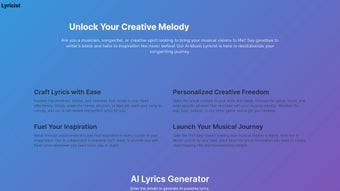
Запущенный в октябре 2023 года, Lyricist — веб‑приложение, использующее модели глубокого обучения, обученные на миллионах общедоступных текстов песен. Его главная цель — превратить расплывчатые концепции — например настроение, ключевое слово или жанр — в отшлифованные черновики текстов, готовые к дальнейшей доработке. Интерфейс платформы преднамеренно минималистичен: чистая панель управления приглашает выбрать желаемый жанр, задать эмоциональный тон, ввести до пяти обязательных ключевых слов и определить структурные предпочтения, такие как схемы куплет‑припев‑мост или количество строк. После ввода параметров ИИ обрабатывает запрос и выдаёт полный набор текстов за секунды. Вывод — это не статичный блок текста; он полностью редактируем в браузере, позволяя мгновенно корректировать формулировки, заменять синонимы или переставлять секции. Lyricist также включает помощник по рифмам, который выделяет как конечные, так и внутренние рифмы, предлагая альтернативные варианты слов, сохраняющие смысл и улучшая поток текста. Для продюсеров, нуждающихся в быстром хуке, функция «Instant Hook» генерирует запоминающийся припев за менее чем десять секунд. Всё содержимое можно экспортировать как обычный текст, PDF или скопировать напрямую в цифровую аудиостанцию (DAW) через интеграцию буфера обмена. Хотя ИИ отлично генерирует идеи и черновики, он создан для дополнения — а не замены — человеческой креативности, гарантируя, что конечный продукт несёт ваш уникальный художественный отпечаток.
Функции, плюсы и минусы: что отличает Lyricist
Набор функций Lyricist построен вокруг гибкости и скорости, предоставляя авторам песен инструменты для быстрой итерации при сохранении творческого контроля. Ниже представлен детальный обзор самых влиятельных возможностей, а также честная оценка сильных и слабых сторон.
- Genre‑Specific Engine: Choose from over 20 genres, each with built‑in stylistic guidelines that shape word choice, rhythm, and rhyme density.
- Mood & Emotion Tags: Tag your song with emotions such as “hopeful,” “brooding,” or “uplifting” to guide the AI’s tonal direction.
- Keyword Prioritization: Input up to five mandatory words or phrases that the AI must weave naturally into the lyrics.
- Structure Customization: Define verse‑chorus‑bridge layouts, line counts, or let the system suggest optimal structures based on genre.
- Length & Word‑Count Controls: Set exact word limits or line numbers to fit your song’s existing arrangement.
- Regeneration & Variant Options: Instantly generate alternative drafts to explore multiple lyrical pathways without starting over.
- Integrated Rhyming Assistant: Highlighted rhyme suggestions include internal, slant, and perfect rhymes with synonym alternatives.
- Instant Hook Generator: Produce a catchy chorus line in under ten seconds for demo tracks or quick brainstorming.
- Export Flexibility: Download lyrics as .txt, .pdf, or copy to clipboard for seamless insertion into any DAW.
- Collaboration Links: Share editable project URLs with band members or co‑writers for real‑time feedback.
Pros
- Rapid generation of lyrical ideas helps break writer’s block.
- Wide genre coverage makes it suitable for diverse musical styles.
- No installation required; works on any modern browser.
- Rhyming assistant and structural templates streamline workflow.
- Free tier available; premium plan adds higher limits and priority processing.
Cons
- AI drafts often need human polishing to reach professional quality.
- Occasional repetition of common phrases in niche thematic requests.
- Requires an active internet connection; no offline mode.
- Premium pricing may be steep for hobbyist songwriters.
- Genre‑specific slang (e.g., modern hip‑hop vernacular) can be less accurate.
Installation, Usage Instructions & Compatibility Details
Getting Started – No Download Required
Because Lyricist is a pure web application, you skip the traditional install process entirely. To begin, navigate to the official website, click “Sign Up,” and register using an email address or one of the supported social logins (Google, Apple, Facebook). After confirming your email, you are taken to a personalized dashboard that guides you through your first lyric creation. The onboarding wizard explains each input field, demonstrates how genre, mood, and keywords influence the AI, and offers a quick “Try a Sample” run so you can see results immediately.
Step‑by‑Step Usage Guide
- Log In: Securely sign in with your chosen credentials.
- Create or Open a Project: Start a fresh song or resume an existing draft.
- Define Parameters: Select genre, mood tags, input mandatory keywords, and choose a structural layout.
- Generate Lyrics: Click “Create” and watch the AI compose a full set of verses, choruses, and bridges.
- Edit In‑Browser: Use the built‑in editor to fine‑tune lines, replace words, or rearrange sections. The rhyming assistant highlights potential improvements.
- Export or Share: Download the final text, export as PDF, copy to clipboard for DAW insertion, or generate a shareable link for collaborators.
Device Compatibility
- Windows 10/11 – Chrome, Edge, Firefox, or Safari (via Windows Subsystem for Linux)
- macOS 11+ – Safari, Chrome, or Firefox
- Android 8+ – Chrome or native WebView in the Lyricist mobile site
- iOS 13+ – Safari or Chrome
The responsive design automatically adapts to tablets, laptops, and smartphones, ensuring a consistent experience whether you are in a home studio or on tour. Since all processing occurs in the cloud, performance hinges on internet speed rather than local hardware, making Lyricist a lightweight yet powerful companion for any musician on the go.
Frequently Asked Questions & Final Thoughts
FAQ
Is Lyricist really free to use?
Lyricist offers a free tier that allows up to five lyric generations per month with core features. Unlimited access, higher word limits, and priority processing are available through affordable monthly or annual premium plans.
Can I export the lyrics directly to my DAW?
Yes. After generating a lyric, you can copy it to the clipboard or download it as a plain‑text file. The clipboard integration works seamlessly with most DAWs, allowing you to paste lyrics into track notes or vocal guides instantly.
How secure is my data and the lyrics I create?
Lyricist uses SSL encryption for all data transfers and stores drafts on GDPR‑compliant servers. Users retain full ownership of their content, and the platform does not sell or reuse lyrics for commercial purposes.
Does Lyricist support collaboration with band members?
Collaboration is possible via shareable project links. You can invite bandmates to view, edit, or comment on a lyric draft, making remote songwriting sessions smooth and efficient.
Will the AI learn from my personal style over time?
The current version does not retain personal user data for model training. However, by consistently using your own keywords and stylistic descriptors, you can guide the AI toward a more familiar voice across sessions.
Conclusion – Should You Download Lyricist?
If you regularly encounter writer’s block or need a rapid lyrical sketch to accompany a fresh beat, Lyricist offers a fast, secure, and entirely browser‑based solution that eliminates the hassle of installing heavyweight software. Its genre‑aware AI, robust rhyming assistant, and flexible export options make it a valuable addition to any musician’s toolkit. While the free tier is generous enough for occasional experimentation, serious songwriters will likely appreciate the premium plan’s higher limits and priority processing.
Remember that the AI’s output serves as a creative springboard—not a finished product—so be prepared to inject your own artistry and polish the final lyrics. Overall, Lyricist stands out as a reliable, user‑friendly, and versatile lyric‑generation app that can help you turn a fleeting idea into a structured song framework within minutes. Ready to give your songwriting a boost?
Sign up for Lyricist today and start crafting lyrics that resonate with your audience.



.png)



